
Discover the Past with Google Maps' Street View Time Machine

Have you ever wondered what your neighborhood looked like a decade ago? Or how your favorite city has transformed over the years? Google Maps’ Street View Time Machine feature lets you do just that!
To get started, open Google Maps on your computer and enter Street View by dragging the yellow Pegman icon from the bottom-right corner onto a map location.
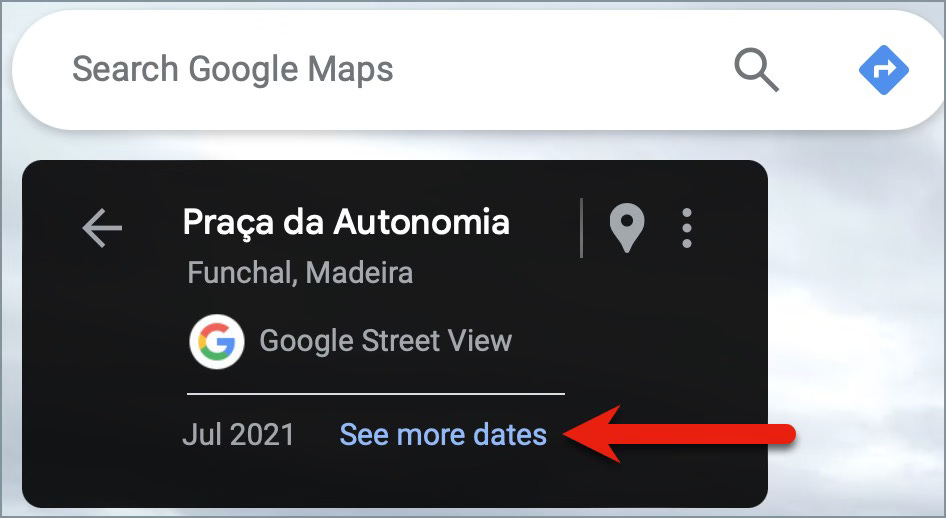
Once in Street View, look in the top-left corner and click See more dates.
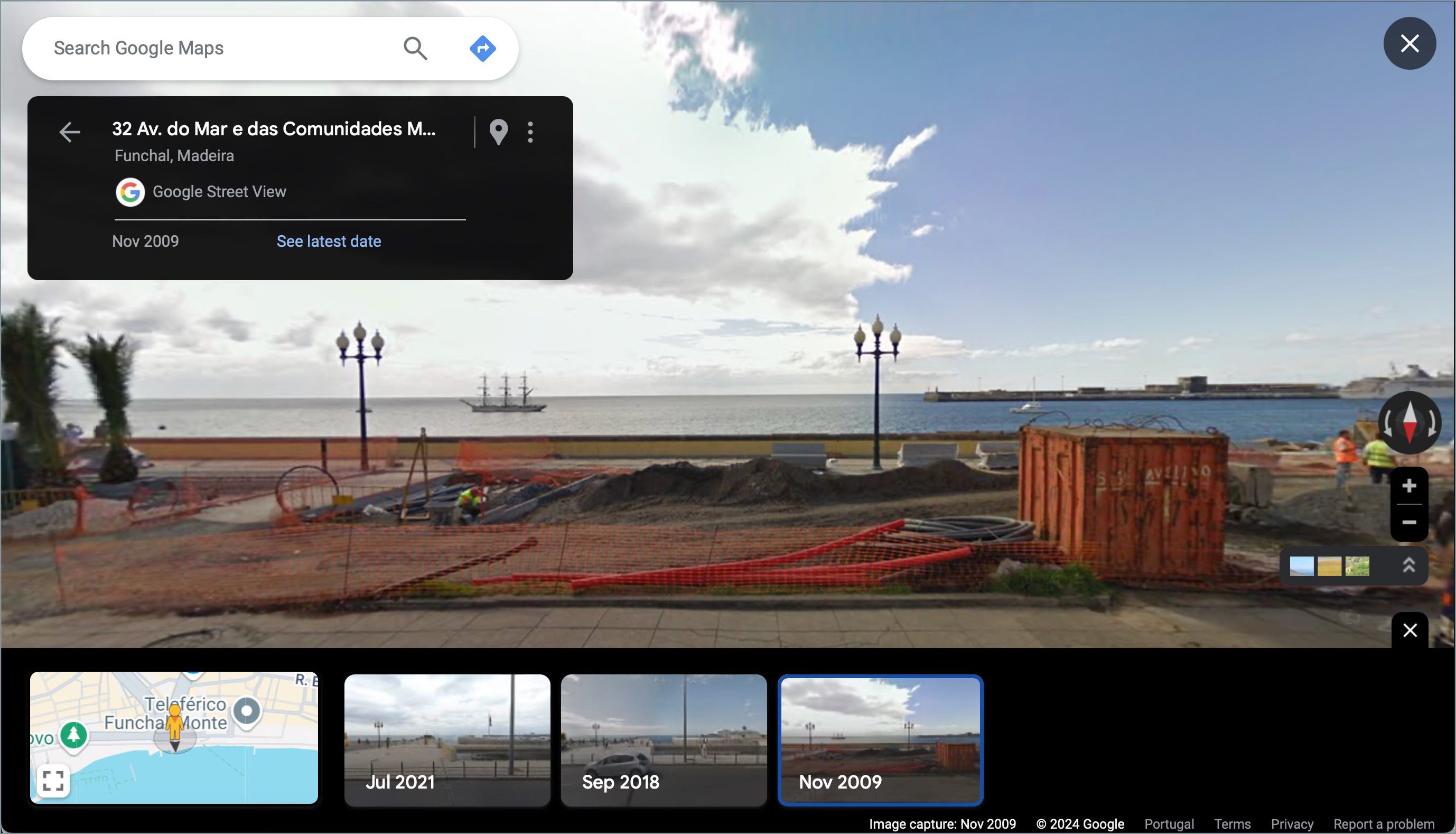
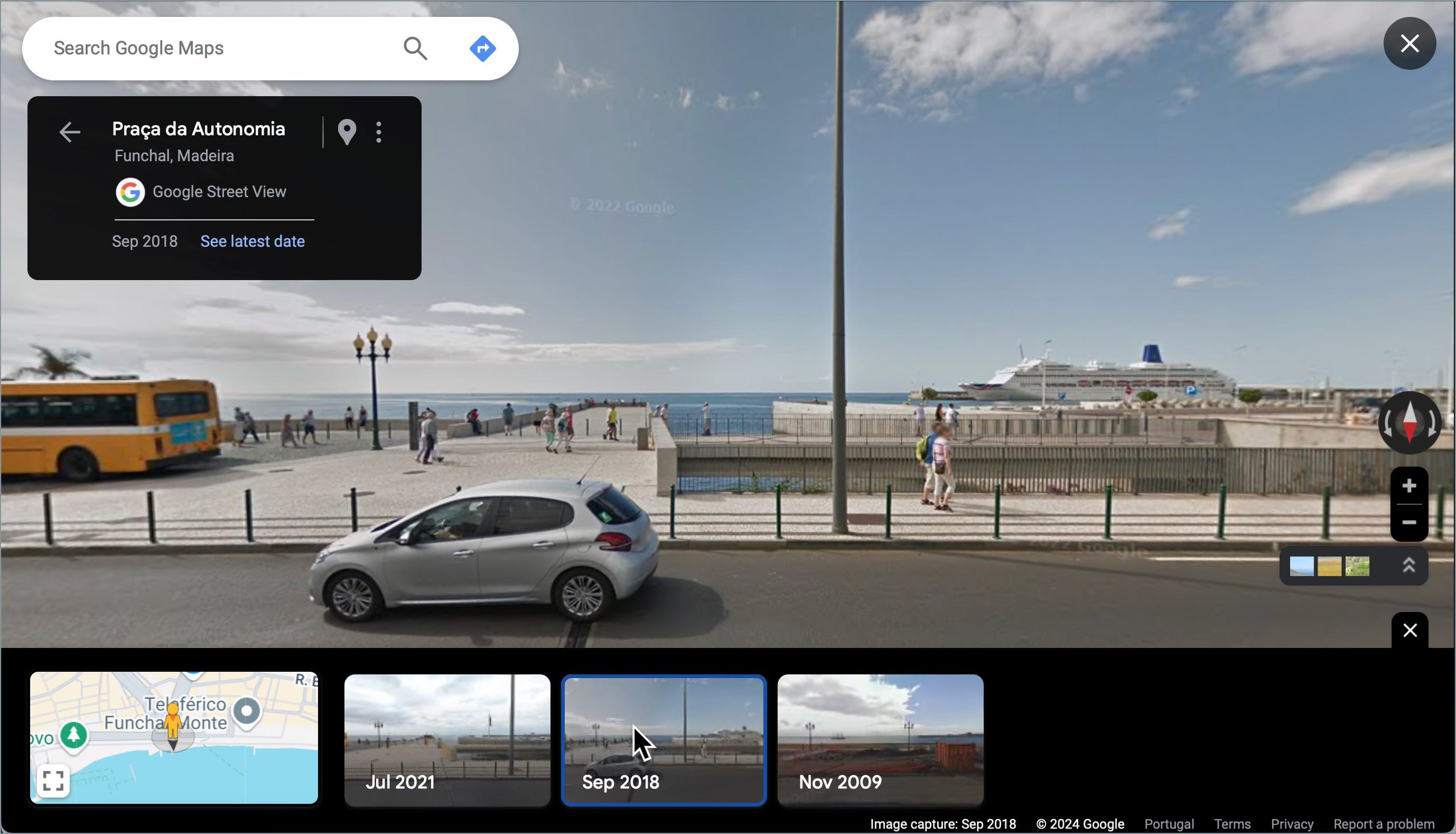
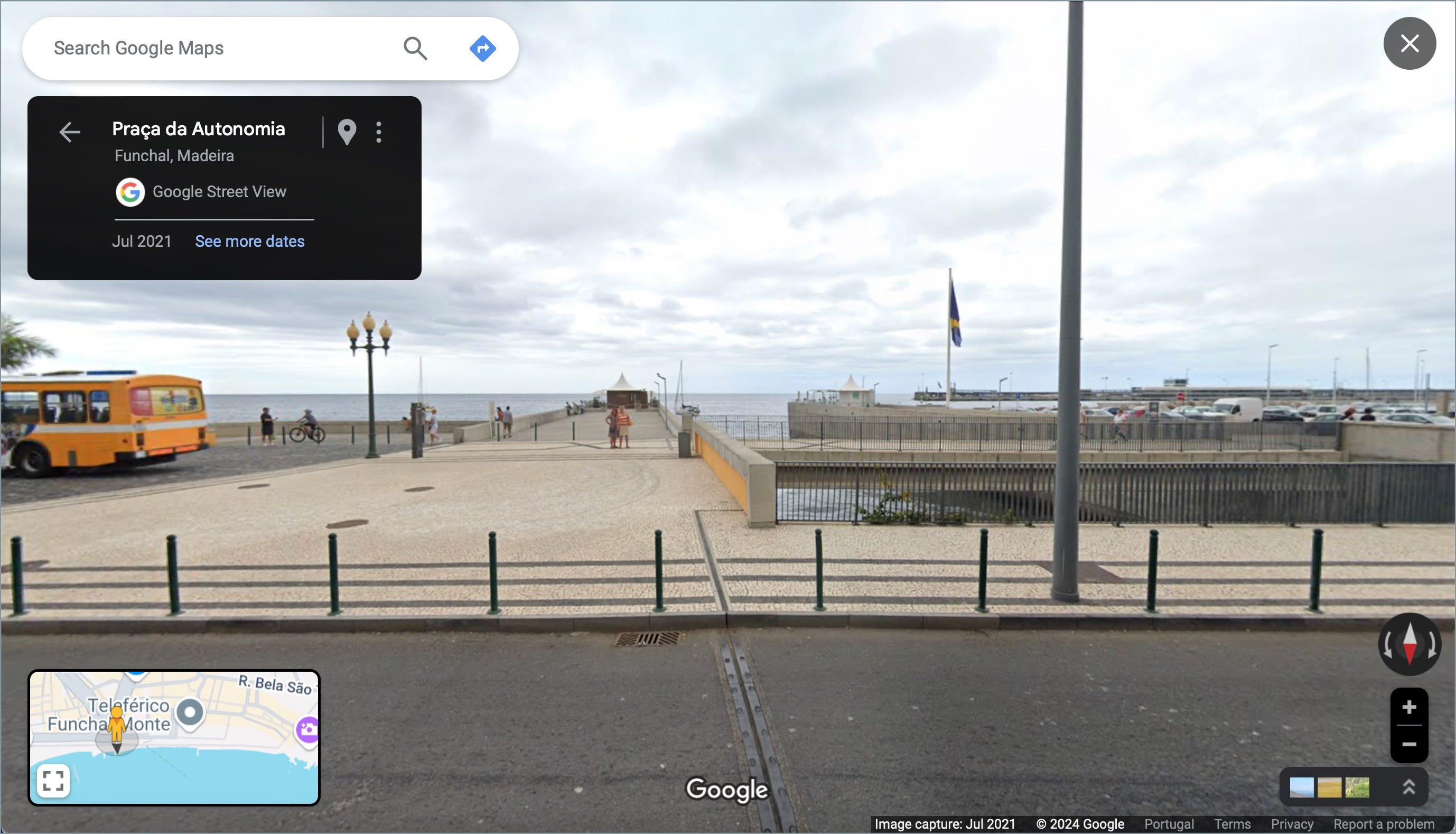
Here’s an example of a pier in Funchal, Portugal:
2009 - view in Google Maps
2018 - view in Google Maps
2021- view in Google Maps
Give it a try and see how the world around you has changed!